
Expressvpn Glossary
Network TAP
What is a network TAP?
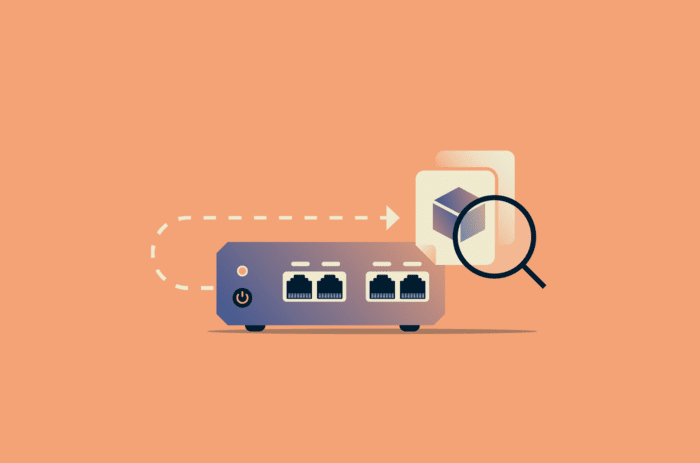
A network Test Access Point (TAP) is a hardware device that copies data traveling across a network link and sends that copy to monitoring or security tools. It allows administrators to observe network traffic without interrupting or modifying the original data flow.
How does a network TAP work?
A network TAP sits inline between two devices, such as switches or routers, on a network link. It intercepts traffic at the physical layer and duplicates the signal, sending a copy to monitoring tools while allowing the original traffic to continue uninterrupted.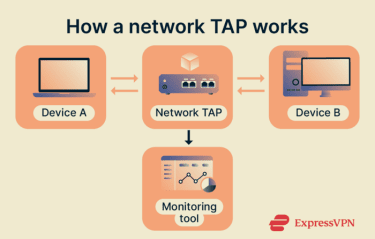
The exact duplication method depends on the network medium and connection type:
- Copper Ethernet: Electrically duplicates the signal on the wire and forwards a copy to the monitoring port.
- Fiber-optic links: Use optical splitting to divert a portion of the light signal to a monitoring port while the remainder continues across the link.
- Full-duplex connections: Output separate transmit and receive streams because traffic flows simultaneously in both directions. Monitoring systems then combine these streams to reconstruct the complete communication session.
Types of network TAPs
Network taps vary based on design and functionality:
- Passive TAPs: Use physical signal splitting and don’t require power to duplicate traffic.
- Active TAPs: Powered devices that may regenerate or amplify signals while copying traffic.
- Aggregation TAPs: Combine traffic from multiple links into a single monitoring output.
- Regeneration TAPs: Send identical copies of traffic to multiple monitoring devices simultaneously.
- Bypass TAPs: Provide fail-safe continuity by automatically routing traffic around an inline tool if that tool fails or is taken offline.
Where is it used?
Network TAPs are commonly deployed in:
- Data centers: To monitor traffic between servers, storage systems, and network infrastructure.
- Security operations centers (SOCs): To feed traffic to monitoring and detection platforms for threat detection and incident analysis.
- Enterprise networks: To support performance monitoring and troubleshooting on critical segments.
- Operational technology (OT) and individual control systems (ICS): To provide visibility in segmented or sensitive environments.
Benefits of a network TAP
A network TAP provides direct and reliable access to network traffic without relying on switch configuration or software-based mirroring. Because it captures complete packet data at the hardware level, it can help with troubleshooting and traffic analysis.
Risks and privacy concerns
Network TAPs can introduce potential risks if not properly managed, including:
- Sensitive data exposure if raw network traffic is captured.
- Observing communications without the knowledge of network users.
- Data retention and compliance risks, particularly in jurisdictions with strict data protection laws.
- Physical tampering, including the insertion of rogue TAPs for covert monitoring.
Further reading
- How to prevent packet sniffing attacks
- Deep packet inspection (DPI): How it works and why it matters
- What is eavesdropping in cybersecurity, and how do you prevent it?
- NDR vs. XDR: Key differences and how to choose